
The Best Software for Environment Management in 2026: A Comprehensive Guide

Getting the right software for managing your company's environmental impact is super important these days. It helps you follow rules, work better, and look good to others. Here are the main things to remember about these tools:
Key Takeaways
- Good environmental management software helps you keep track of lots of data easily, like waste and energy use.
- These tools make it simpler to meet rules and regulations, avoiding fines and problems.
- Using the right software can actually save your company money by making things more efficient.
- Many of these programs help you create reports that show your company's good environmental actions to investors and customers.
- Choosing software that's easy for your team to learn and use is just as important as its features.
1. DiginexESG
When you're trying to get a handle on your company's environmental impact, things can get complicated pretty fast. Regulations are always changing, and stakeholders, from investors to customers, want to see that you're doing your part for the planet. That's where software like DiginexESG comes in. It's designed to make tracking and reporting on your environmental, social, and governance (ESG) performance a lot less of a headache.
DiginexESG helps you pull together all the data you need for sustainability reporting. Think of it as a central hub for all your environmental metrics. It can help you keep up with standards like the GHG Protocol or ISO 14064, which are pretty important if you're serious about measuring your emissions accurately. The platform aims to simplify the process of gathering information, generating reports, and staying compliant with whatever rules are in place. It's not just about ticking boxes, though; a good system can actually help you spot problems early on before they become big, expensive issues. This kind of proactive management can save you money in the long run, avoiding fines or operational shutdowns.
Here’s a quick look at what DiginexESG can help with:
- Data Collection: Gathers information from various sources across your operations.
- Performance Tracking: Monitors key environmental indicators over time.
- Reporting: Generates reports that meet common ESG frameworks.
- Compliance: Helps you stay on top of regulatory requirements.
Using software like DiginexESG isn't just about looking good to the outside world. It's about building a more resilient business. When employees see that the company is committed to sustainability, they tend to be more engaged. This can lead to better teamwork and a stronger company culture. Plus, having clear ESG reports can really boost your company's image, attracting investors and customers who care about these issues. It's a way to stand out in a crowded market and show you're thinking about the future. You can find more about GHG accounting certifications if you need to get specific on emissions tracking.
Ultimately, DiginexESG aims to make environmental management more straightforward. It helps you manage risks, cut down on unnecessary costs, and build trust with everyone involved with your business. It's a tool that can help you move forward more confidently in an increasingly sustainability-focused world.
2. Celoxis
Celoxis is a project management platform that blends real practicality with a whole toolbox to track, plan, and adjust complex projects, especially in IT and development. What sets Celoxis apart is its focus on real-time resource visibility and straightforward project tracking, making it a leading contender in 2026 for managing project portfolios. With the trend toward integrated project oversight, Celoxis makes handling multiple deadlines, shared team resources, and status updates much less of a chore.
Here's what really matters if you’re thinking about using Celoxis for environment management:
- Resource tracking and assignment tools that update in real-time, giving managers a clearer picture of who’s available and what skill sets are on hand. This is one of the standout points noted in project management software trends.
- Strong built-in analytics and reporting, so you get easy-to-read dashboards instead of sifting through scattered spreadsheets.
- Streamlined project planning features for mapping out tasks, predicting bottlenecks, and keeping everything moving.
- Options for both cloud and on-premise hosting—so you can match your policies or security needs without fuss.
Celoxis does lack a mobile app, and for small teams, its broad feature set may feel like overkill. But for anyone in charge of multiple projects, or working in larger teams, its ability to scale and provide instant project updates is a big plus.
Many users feel they spend less time chasing updates and more time making decisions when using Celoxis. This platform aims to bring clarity, so teams can focus on finishing projects instead of managing spreadsheets.
Celoxis asks you to contact them for tailored pricing, which means you only pay for what you actually use. For growing companies hoping to bring a bit more order to the chaos, it's a solid solution to check out.
3. Triskell Software
Triskell Software is a pretty solid choice if your organization is juggling a lot of projects and needs to keep everything aligned with the big picture. It's built for companies that have to manage multiple programs, share resources across different teams, and deal with competing priorities. Think of it as a way to get a clear view of everything that's going on, from the initial ideas to the final execution.
This platform is especially useful for PMOs, IT leaders, and transformation teams. It goes beyond just tracking tasks and helps you get a handle on demand, available capacity, budgets, and how things are progressing. It really shines when you need to connect your strategy directly to your project execution.
Here are some of the main things Triskell helps with:
- Strategic alignment and prioritization: You can link your projects and initiatives directly to your company's strategic goals. This means you can look at different options and compare them before you decide where to put your money and resources.
- Resource and capacity management: It helps you plan across different teams and skill sets. You can spot potential bottlenecks early on and make sure you're not overcommitting your people.
- Financial management: Keep track of budgets, costs, and forecasts at various levels – from the whole portfolio down to individual projects. This gives you a much better idea of where your money is going.
Triskell also offers some interesting tools for scenario simulation, which is great for planning resources and budgets. You can test out different approaches and make smarter decisions before you lock anything in. It’s a good option if you’re looking for a more structured way to manage your projects and align them with business objectives. If you're interested in how software can help streamline church administration, there are guides available that cover similar principles of organization and management [d05a].
One of the standout aspects of Triskell is its flexibility in how you can set it up. You can choose an out-of-the-box solution, adapt it to your needs, or go for a fully customized setup. This means it can grow with your organization, which is a big plus for companies that are expanding or have evolving governance needs. It's definitely geared more towards mid-market and enterprise companies, so if you're a small team looking for something simple, it might be more than you need. There's also a bit of a learning curve because it has so many features, but once you get the hang of it, it’s quite powerful.
4. ProProfs Project
ProProfs Project is a tool that helps smaller businesses and startups get their projects done without going over budget or missing deadlines. It’s got things like Gantt charts and Kanban boards to make complicated work look a bit more organized. Plus, it handles task dependencies and recurring tasks, which is pretty handy.
This software mixes visual planning with some automation. You can manage timelines, see how things are progressing, and figure out who's doing what. It also has shared calendars and role-based assignments, so everyone on the team knows what's happening. This makes it easier to keep projects moving forward smoothly.
Here are some of the main things ProProfs Project can do:
- Workflow Automation: It can automate repetitive jobs, like sending out invoices or setting up reminders, cutting down on how much you have to do manually.
- Time Tracking & Billing: Keep tabs on hours spent on tasks, whether they're billable or not. It also helps create timesheets and makes sure billing is accurate.
- Reports & Analytics: Get unlimited reports on budgets, key performance indicators, and how profitable your projects are. This helps you make better choices.
- Client Access: You can give clients guest access so they can see project progress and give feedback safely.
ProProfs Project is particularly good for managing environmental initiatives because it supports social sharing with farmers, showing a commitment to broader sustainability goals beyond just project completion. It’s a solid choice for teams looking for a straightforward way to manage their work and keep everyone aligned. You can even get started with a forever-free plan if you're a small team, which is a nice bonus. If you're looking for a way to manage your projects more effectively, checking out ProProfs Project features might be a good idea.
5. Asana
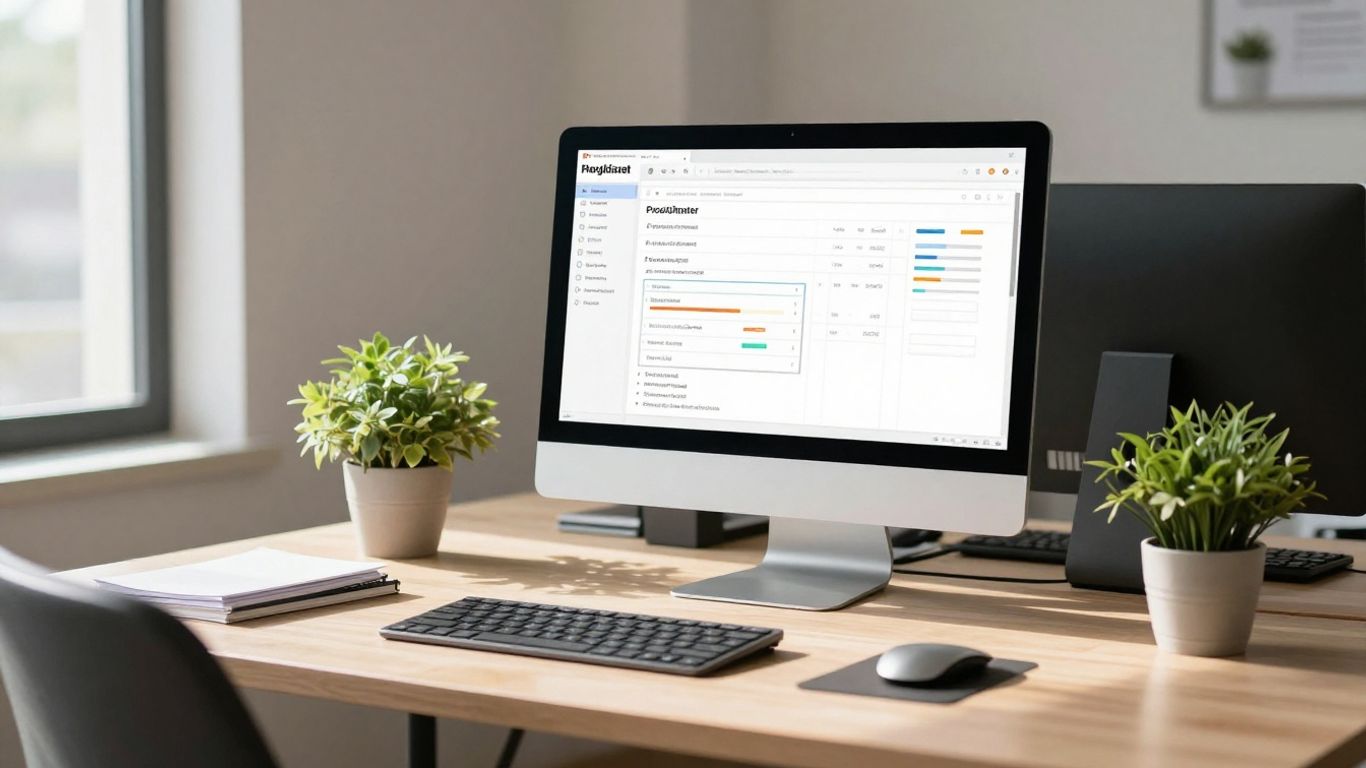
Asana is a pretty popular choice for teams looking to get organized, and honestly, it makes sense why. It’s got this really clean interface that doesn't feel overwhelming, even if you're not a tech wizard. You can look at your projects in a bunch of different ways – like a simple list, a Kanban board, a calendar, or even a timeline view. This flexibility is great because everyone works a little differently, right?
One of the things that stands out is how Asana helps keep everyone on the same page. You can assign tasks, add comments, and share files all in one spot. It’s like a central hub for all your project-related chatter. Plus, it plays nice with a ton of other apps you probably already use, which cuts down on switching between different programs.
Asana really shines when it comes to visualizing project progress and keeping deadlines in sight. It’s not just about listing tasks; it’s about seeing how they fit together and when they need to be done.
Here’s a quick look at what makes Asana tick:
- Multiple Project Views: Choose from List, Board, Timeline, or Calendar views to suit your workflow.
- Task Management: Assign tasks, set due dates, add subtasks, and track progress easily.
- Collaboration Features: Comment on tasks, share files, and get real-time updates.
- Automation: Set up rules to automate repetitive tasks, saving you time.
- Goal Tracking: Define and monitor objectives to keep your team focused on what matters.
It’s a solid tool for managing day-to-day tasks and keeping bigger projects moving forward. If you're looking for a way to bring some order to your team's work, Asana is definitely worth checking out, especially if you're comparing different project management software options here.
While Asana is great for keeping tasks organized, it's important to remember that its strength lies in task and project execution. For broader environmental management strategies that might involve carbon accounting or supply chain sustainability, you'd likely need to integrate it with more specialized tools or platforms focused on achieving a carbon-negative future like those discussed elsewhere.
There are a few quirks, though. For instance, you can only assign a task to one person at a time, which might feel a bit limiting if you're used to assigning tasks to multiple people simultaneously. Also, while it’s good, the data export features could be a bit more robust for some users who need to pull out large amounts of information for custom analysis.
6. Planview
Planview is a big name in the project management software world, especially if you're dealing with IT projects. They really focus on helping larger companies get a clear picture of all their IT work. It’s built to manage project portfolios effectively, which is great for making sure everything you're doing actually lines up with what the business wants to achieve. They've been making some moves lately, integrating AI into their tools, which is pretty interesting for the future of project management.
Planview's strength lies in its ability to connect strategy to execution. It helps you see how individual projects contribute to the bigger picture, which is something many organizations struggle with. They offer tools that cover a lot of ground, from initial planning to resource allocation and tracking progress.
Here’s a quick look at what Planview brings to the table:
- Strategic Alignment: Makes sure your IT projects are directly supporting business goals.
- Portfolio Oversight: Gives you a bird's-eye view of all your projects for better decision-making.
- Resource Management: Helps you assign tasks and manage your team's workload efficiently.
- AI Integration: Incorporating new AI features to streamline workflows and provide insights.
While Planview is a powerful tool, especially for big companies, it can feel a bit much for smaller teams. The sheer number of features means there's a learning curve involved. It takes time to get comfortable with the interface and really make the most of everything it can do.
For those managing complex IT portfolios, Planview is definitely worth a look. They are really pushing forward with new technology, aiming to make project management smarter. You can find out more about their latest developments on their website.
Planview uses a per-user, per-month pricing model. This setup is pretty flexible, letting you scale costs up or down depending on how many people are using the system. It’s a common approach that works well for businesses that need to adjust their spending based on team size and usage.
7. Planisware
Planisware is a pretty heavy-duty player when it comes to managing complex IT project portfolios. It’s not really for the casual user or a small team just starting out. Think of it as a tool for big organizations that have a lot of moving parts and need to keep everything aligned with their overall business strategy. It really shines when it comes to product development and planning out roadmaps, which is super important if you want to stay ahead in the tech world.
One of the standout features is its focus on financial management. You get some serious tools to keep an eye on budgets and make sure projects are actually making financial sense. This is where Planisware really separates itself from simpler tools; it gives you that deep visibility into the money side of things.
Here’s a quick look at what makes it tick:
- Strategic Product Development: Helps you map out new products and keep your development pipeline organized.
- Robust Financial Controls: Offers detailed tools for budgeting, cost tracking, and financial forecasting across your projects.
- Scalability for Enterprises: Designed to handle the complexity of large organizations and their extensive project portfolios.
- Portfolio Alignment: Connects your projects directly to your company’s strategic goals, so you’re always working on what matters most.
Planisware is built for organizations that need to manage intricate IT project portfolios. It combines project management with a strong emphasis on product innovation and roadmap planning. This makes it a solid choice for companies that want to lead in their market.
Now, it's not all sunshine and rainbows. The biggest hurdle with Planisware is definitely the cost. It’s expensive, and that includes not just the software licenses but also the implementation, training, and ongoing maintenance. So, if you’re a small business or have a small IT department, this might be overkill and way too pricey. It can also feel a bit overwhelming at first because there are so many features packed in. You'll need a dedicated team to really get the most out of it. If you're looking for a way to get a handle on your IT project portfolios, Planisware offers a very thorough solution, but be prepared for the investment.
Their pricing is custom, so you have to talk to their sales team to get a quote based on your specific needs and how many people will be using it. It’s definitely an enterprise-grade solution, offering precise forecasting and visibility into return on investment for your projects.
8. Kantata
Kantata, which used to go by the name Mavenlink, is a pretty solid choice for managing IT projects. It’s got a modern look and feel, which is nice, and it’s flexible enough to work with different team styles. The collaboration tools are a big plus, making it easier for everyone to stay on the same page. It really shines when it comes to the core tasks of project management and resource planning.
Kantata offers a generally positive experience, particularly excelling in project management and resource planning. Users find it beneficial for these core functions.
Here’s a quick look at what it brings to the table:
- Agile and Project Portfolio Management: Helps keep IT projects on track, even when things are changing fast.
- Time Tracking and Expense Management: Keeps an eye on budgets and schedules, which is always a good thing.
- Customizable Dashboards and Reporting: You can set up reports to show what matters most to your project.
- Collaboration and Document Management: Makes it simpler for teams to work together and share files.
While it’s good, there are a couple of areas where it could be even better. The reporting features, while decent, might not offer the same depth as some other tools out there. Also, integrating with other software you might already use could be smoother. It’s worth checking out some alternatives to Kantata if you need something with slightly different integration capabilities.
Kantata’s pricing is custom-built for each client. You’ll need to chat with their sales team to get a quote that fits your specific team size and how you plan to use the software. This way, you’re not paying for stuff you don’t need.
9. Microsoft Project & Portfolio Management
Microsoft Project & Portfolio Management has been around for years, but it keeps getting smarter and more flexible. It’s not just a scheduling tool anymore—now it's a full suite for juggling all your project demands, from simple lists to complex enterprise workstreams. A lot of folks stick with it because it works so tightly with the rest of the Microsoft products, and you can get up and running without a ton of extra setup.
Here’s where it stands out:
- Direct integration with Office 365 and Teams, so your documents, chats, and plans are in one place.
- For portfolio managers, the software dishes out visuals for tracking project progress, managing budgets and resources, and seeing the big picture in a glance.
- Flexible pricing: you choose between cloud subscriptions or sticking to on-premises licenses, so teams of any size can fit it into their budget.
- Automation options let you cut out repetitive tasks by setting up custom workflows (especially handy if you’re always wrangling approvals or juggling dependencies).
- Industry-standard features like Gantt charts, reporting dashboards, and resource allocation really help when you’ve got multiple, overlapping projects.
Here's a quick comparison to help break it down:
But, just so you know, Microsoft Project isn’t perfect. There’s a learning curve for new users—especially if you’re moving from lighter apps. And for smaller companies, the cost might pinch a bit compared to newer solutions.
For teams already locked into Microsoft’s platform, this tool can really make managing complicated initiatives feel more manageable, especially when you're aiming for better resource use and on-time delivery.
Adopting a strong suite like this is a solid move for groups trying to keep their business goals in focus and their footprints responsible—something discussed when looking at environmental stewardship and project choices.
10. DeskFlex
DeskFlex is a platform that really focuses on the nuts and bolts of managing your physical office space. It’s not trying to be everything to everyone, but it does a solid job of consolidating the day-to-day operations that make a workspace function smoothly. Think of it as your go-to for booking desks, scheduling meeting rooms, managing visitors, and getting a handle on how your space is actually being used.
It’s particularly good for organizations that need a unified system for these core functions. Instead of juggling multiple tools, DeskFlex brings them together. This means less confusion and a more streamlined experience for everyone, from employees to facilities managers. They offer features like:
- Desk booking for hybrid and hot-desking setups
- Room scheduling with calendar integration
- Visitor management with check-in notifications
- Real-time occupancy tracking
- Space analytics to understand utilization
One of the standout points is its flexibility in deployment. Whether you need a cloud-based SaaS solution or an on-premise setup, especially for industries with strict data handling needs like government or healthcare, DeskFlex has you covered. This adaptability makes it a strong contender for businesses with specific compliance or security requirements. You can even integrate it with systems you already use, like Outlook or Office 365, which is a big plus for avoiding a complete overhaul of your existing tech stack. If you're looking to simplify your workplace operations, DeskFlex is definitely worth a look.
Looking for a better way to manage your workspace? Section 10 introduces DeskFlex, a smart solution designed to make your office more flexible and efficient. Discover how DeskFlex can help you organize your space and boost productivity. Visit our website today to learn more about DeskFlex and how it can transform your work environment!
Conclusion
Picking the right software for environment management is a big step for any company. It's not just about following rules; it's about making your business run smoother and showing everyone you care about the planet. The tools we've talked about can really help with tracking data, staying on track with goals, and even making your company look better to customers and investors. Take your time, figure out what your company really needs, and choose a system that fits. Doing this will help your business grow and be a good example for others.
Frequently Asked Questions
What is environmental management software?
Think of it like a special computer program that helps businesses keep track of how they affect the environment. It helps manage things like pollution, waste, and energy use, making it easier to do better for the planet.
Why does my company need this kind of software?
Lots of reasons! You might have to follow government rules, or maybe you just want to be a more responsible company. This software helps you manage risks, save money, and show people you're doing a good job.
Is it hard to use this software?
It can depend on the program. Some are pretty simple, especially if they are designed to be easy for workers to learn. Good companies offer training and help if you get stuck.
Can this software help us make more money?
Yes, it can! By using resources better, avoiding fines, and looking good to customers, your company can become more efficient and attractive, which can lead to more success.
What kind of information does the software track?
It tracks all sorts of things related to your company's environmental impact. This could be how much energy you use, how much trash you create, or what chemicals you release. It helps gather all this info in one place.
How do I pick the best software for my company?
First, think about what your company needs. What rules do you have to follow? What are your goals? Then, look at different software options and see which one has the features you need and is easy for your team to use.